Not later. Reminders that keep asking until they're done.
Most reminder apps ask once and accept “later” forever. Nagbar asks again, then louder: a card from the notch, then your whole screen, until you press Done. Type a reminder or just say it.
- 14-day refund
- No account
- macOS 14+ · Apple silicon


Hold ⌥⌘V and say it, and Ding does it and shows you. Or type the same sentence into the panel.
Animation, on a loop: at 6 PM the menu bar ring counts down and a card drops from the top: NOW, Call Mom, due 6:00 PM. Not now is clicked. Five minutes later it's back over the whole screen, Late, 2nd ask, and Done is pressed and held; it turns green. Then how it was added: you hold ⌥⌘V and say “remind me to call Mom at 6, nag me”, Ding, Nagbar's bell, answers out loud “Got it. 6 PM, I'll keep asking.”, and Call Mom lands in today's list.
One promise, start to finish. 86 seconds, with sound.
01 Reminders that nag until done
You can't miss it.
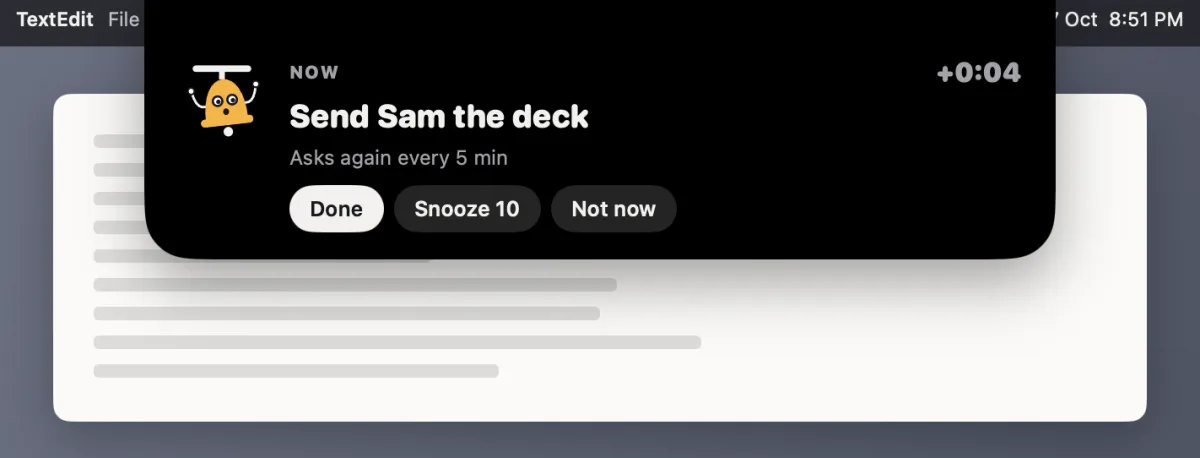
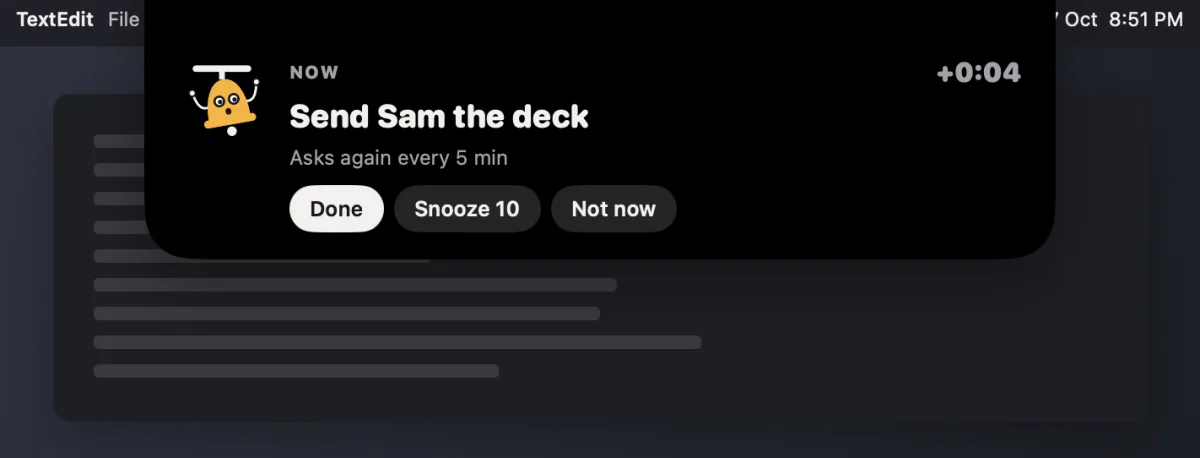
When it's due, a card drops from the notch. Snooze it or let it wait, and the next ask takes the whole screen, on every display, until it's done. Late, the clock counts up. Hold Done, Snooze 10, or Not now, with a click or the keyboard. Or just say “snooze ten”.
Animation: Friday morning, the menu bar ring counts down from 5 minutes to now. Then a card drops from the notch: NOW, Send Sam the deck, due 9:00 AM, with Done, Snooze 10, More and Not now. Return presses Snooze 10; the card goes back up into the notch and comes back ten minutes later over the whole screen, counting up from +10:00. Done is pressed and held, and the screen turns green.
- Every displayOver full-screen apps and every screen you have.
- Asks until doneAgain every few minutes, with a daily cap, and “Still want this?” after a few Not nows.
- Backs off on callsOn a call or presenting, an alert stays a card at the top, with a soft sound, and never takes the keyboard.
- Gentle, Firm, SavageHow it talks when you're late. Meds never get Savage.
- Meetings: one click to joinEvery calendar on your Mac, with Join right on the alert.
- No limitsAs many reminders that nag as you like, and repeating ones, every day, week or month.
02 Your Mac's voice assistant
One voice for your whole Mac.
Hold ⌥⌘V and say it. Nagbar does it, shows you what it did, and answers your questions out loud, in one of 10 natural voices that run on your Mac or your Mac’s own voice. English, Spanish, French, German, Portuguese, Italian and Hindi.
- Reminders and calendar add, move, snooze, done, join.
remind me at 6 to call Mom, nag me
move the dentist to 5
join
done
- Your day
what's next?
, orwhat's today?
to open today's list. - Your Mac Do Not Disturb, keep awake, the focus timer.
turn on Do Not Disturb for an hour
keep my Mac awake for an hour
- Edit by voice select text, hold right ⌘:
summarise this in two lines
,make it friendlier
, or write something new. - Do it for me hands a due task to Claude or ChatGPT. You review it and press Send yourself.
You can also type the same sentences into the panel.
Animation: five things said to Nagbar. “Move the dentist to 5”: the Dentist moves from 3:00 PM to 5:00 PM in today's list. “What's next?”: Nagbar answers that the design review is at 9:30, in 19 minutes. “Turn on Do Not Disturb for an hour”: Do Not Disturb turns on. A paragraph in Notes is selected, right ⌘ is held, and “summarise this in two lines” replaces it with two lines. “Do it for me” on a due reminder, Reply to Jordan about the invoice: the task opens in a new Claude chat, ready to review before you press Send.
03 Hears what you promise
It hears what you promise.
You dictate a reply. Nagbar reads that line, notices the promise, and offers the reminder with the date it understood. No promise is added without your click, unless you turn on auto-add for clear ones. Unsure ones wait in Found.
- Reads only what you dictate, on your Mac. Never the rest of the chat, and never in password fields.
- At most one card in ten minutes.
- Kept on this Mac for 7 days. It learns from No.
Animation: Alex asks in Slack for the deck to reach Sam before Friday. You dictate “Sure, I'll send Sam the deck by Friday”; the dictation bar types it into Slack. The rest of the chat fades back, because Nagbar reads only the line you dictated. Nagbar's card asks “Remind you? Send Sam the deck, Fri 9 AM”. Nothing is added until Remind me is clicked; then the card says “Added · Send Sam the deck · Fri 9 AM”.
04 Dictation, in any app
Type with your voice. Anywhere.
Hold the right ⌥ key, talk, let go. Your words land where your cursor is, cleaned up. Pick a style: 11 built in, and your own.
- Clean your words, minus the ums and the false starts
- Email a greeting, your paragraph, “Best,” and your first name
- To-dos a checklist Nagbar can turn into reminders
Unlimited, in every style. Restyle anything later from History.
Animation: you say “Um, so can you send the invoice to Alex by Friday, actually no, Thursday, and cc Mia.” Clean types “Can you send the invoice to Alex by Thursday and cc Mia?” into Slack. Email types “Hi, Could you send the invoice to Alex by Thursday and cc Mia? Best, Jamie” into Mail. To-dos types “- [ ] Send the invoice to Alex by Thursday” and “- [ ] Cc Mia” into Notes.
- PrivateSpeech becomes text on your Mac's Neural Engine. The audio is never recorded or kept.
- Spelled rightSix built-in word lists, about 8,900 names and terms, plus your own: “when I say this, type that”.
- CarefulNever types into a password field, puts your clipboard back, and keeps AirPods sounding right.
05 The app
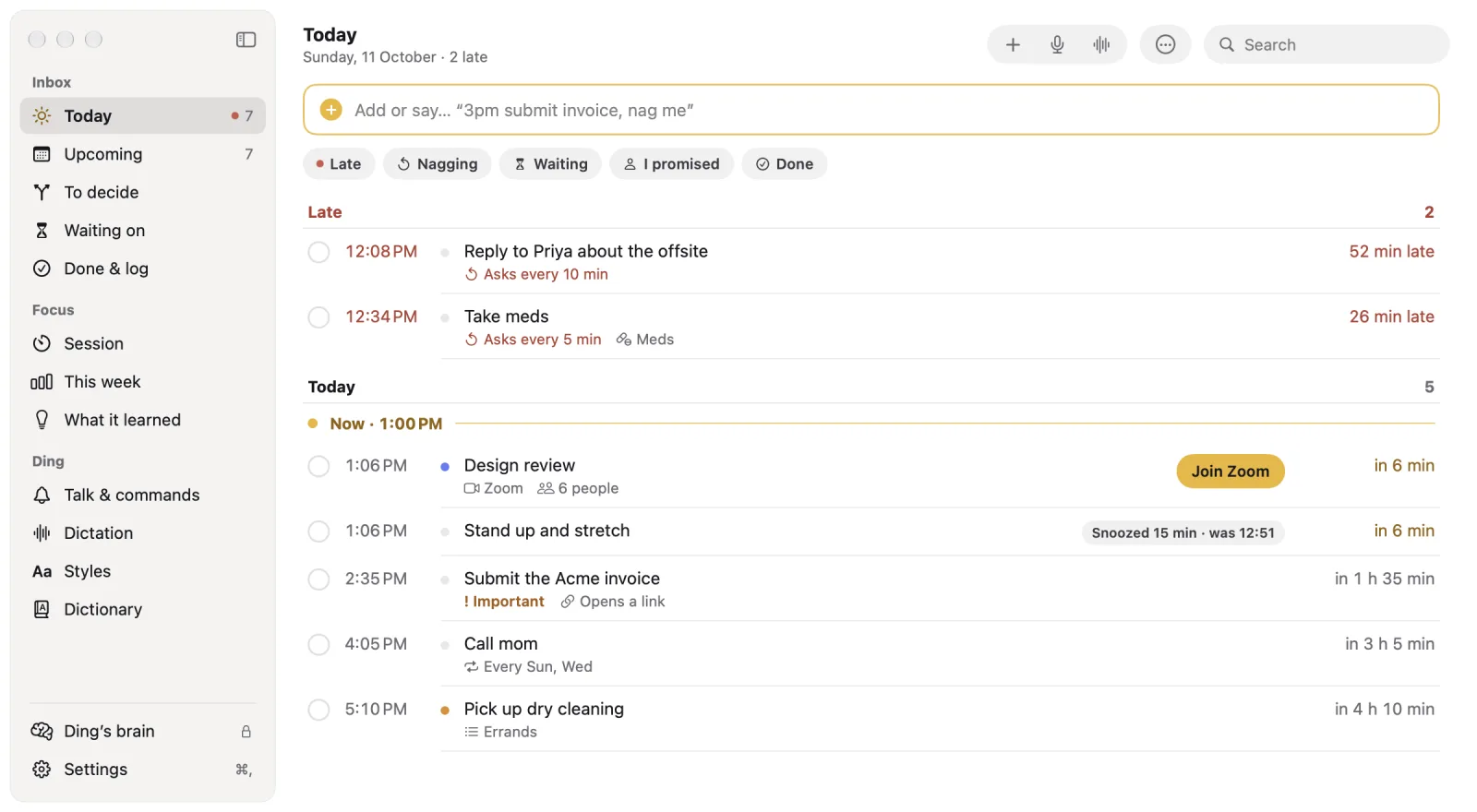
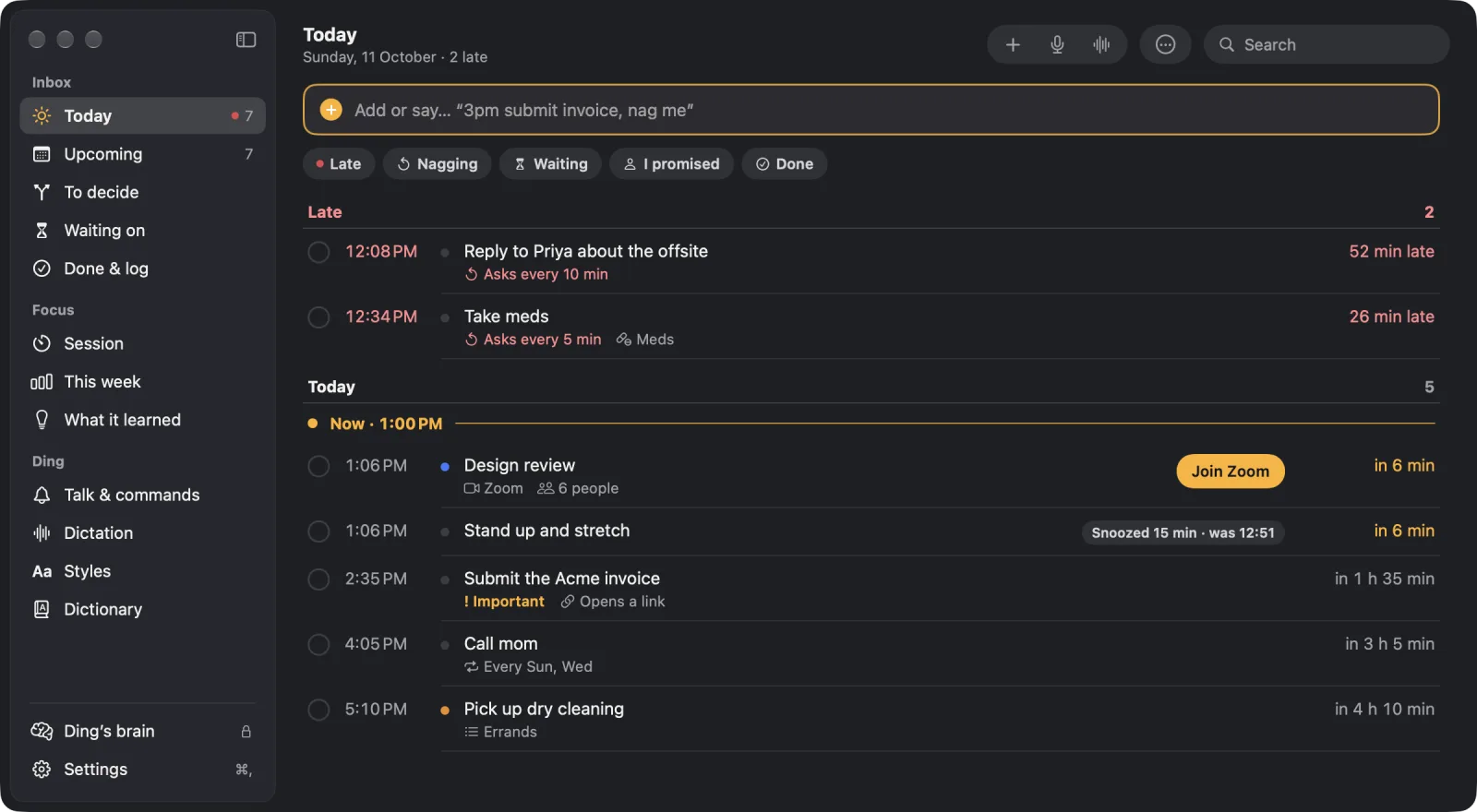
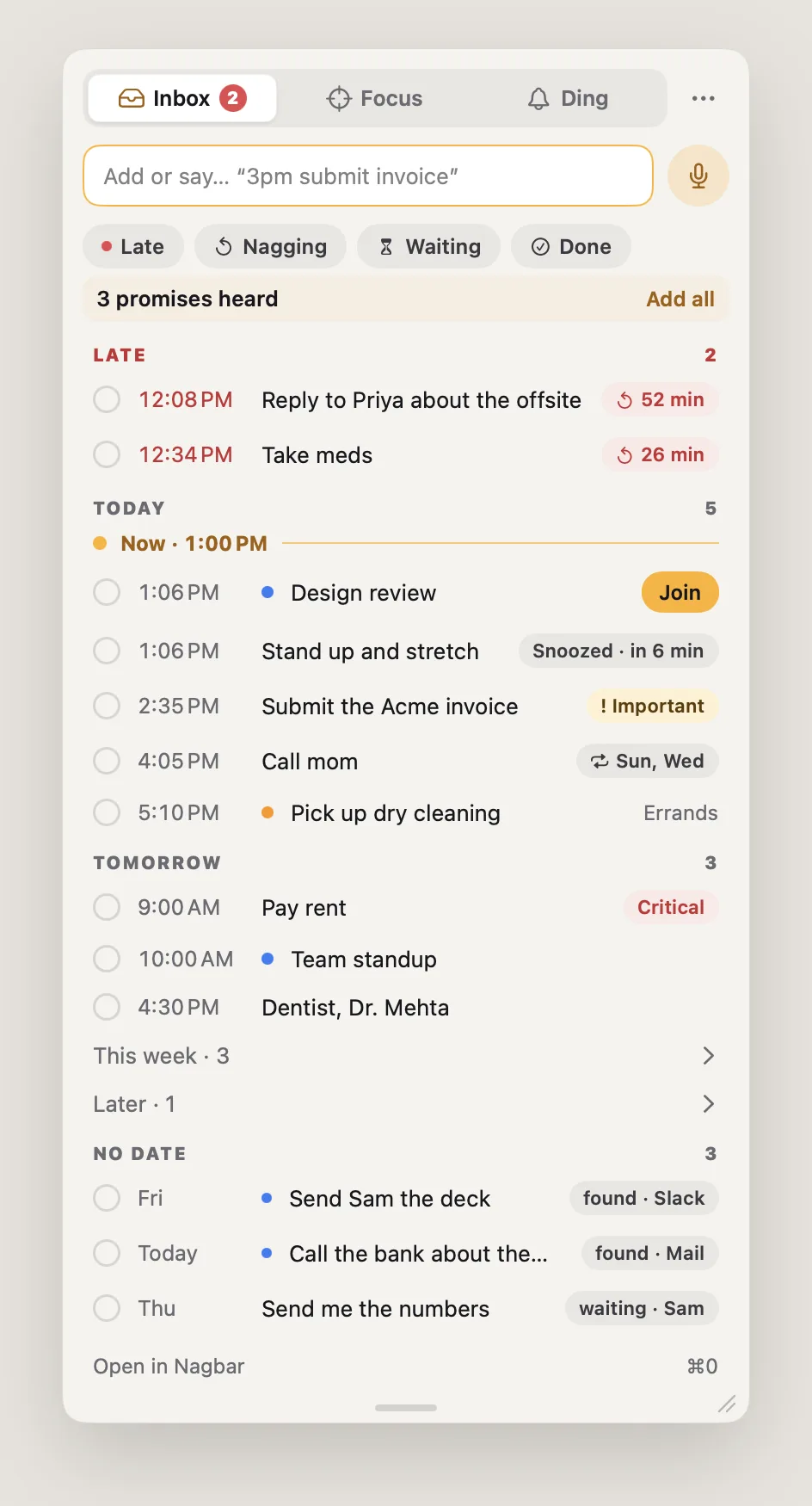
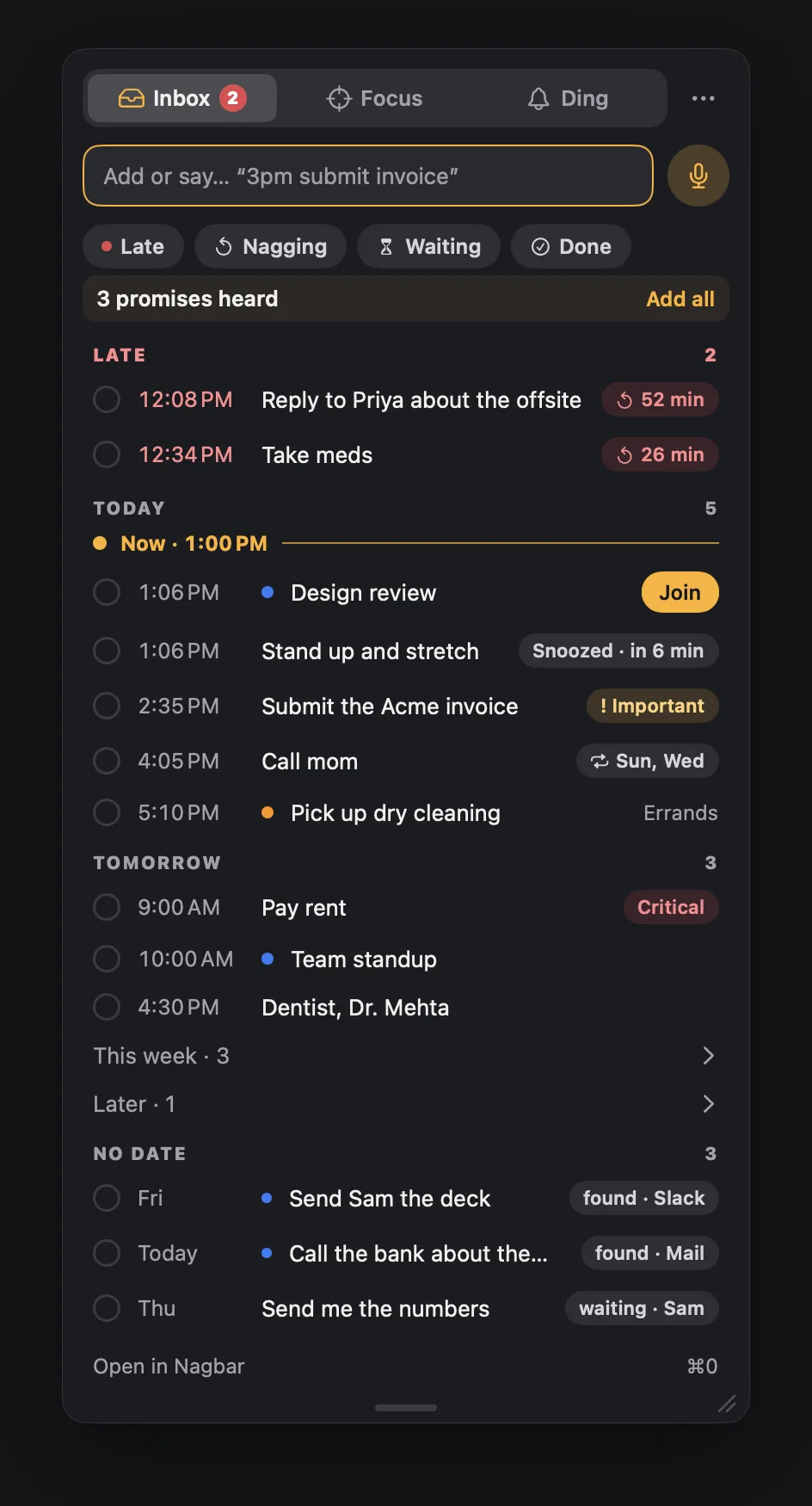
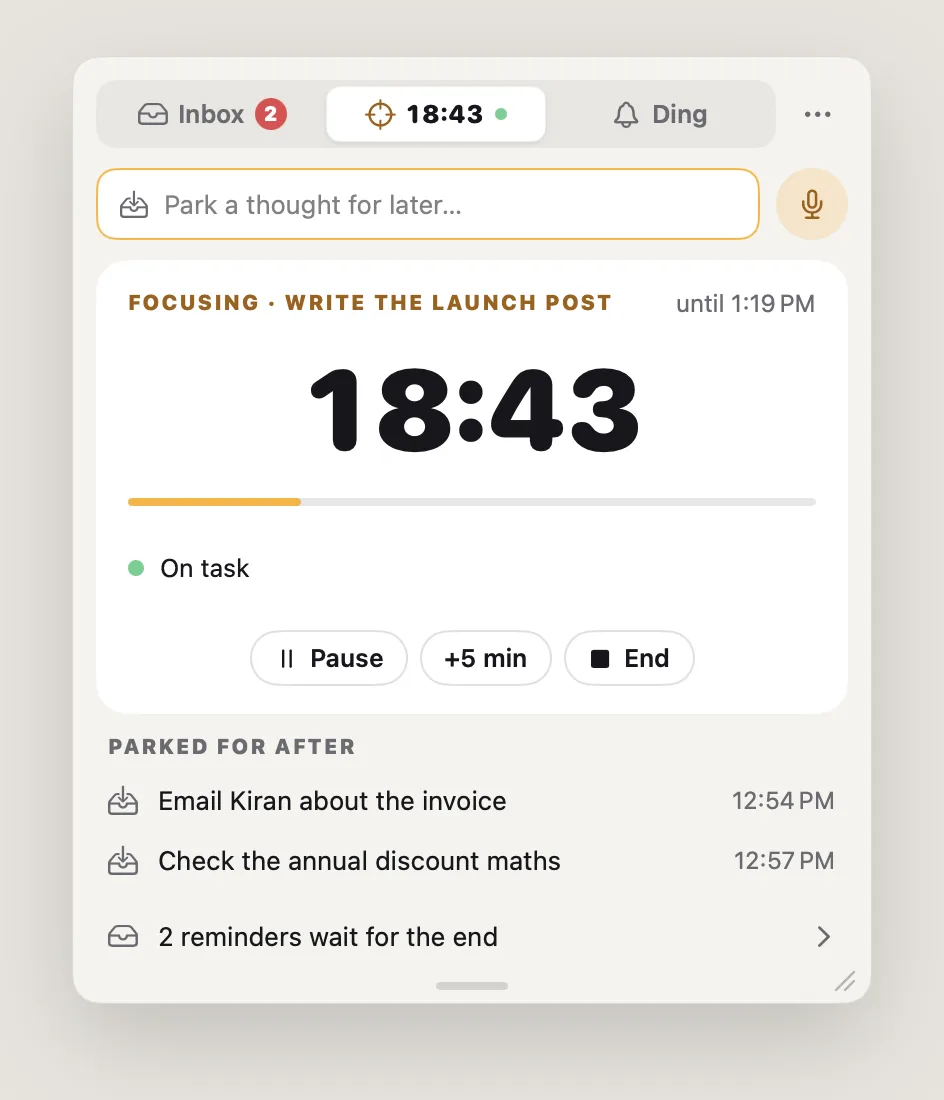
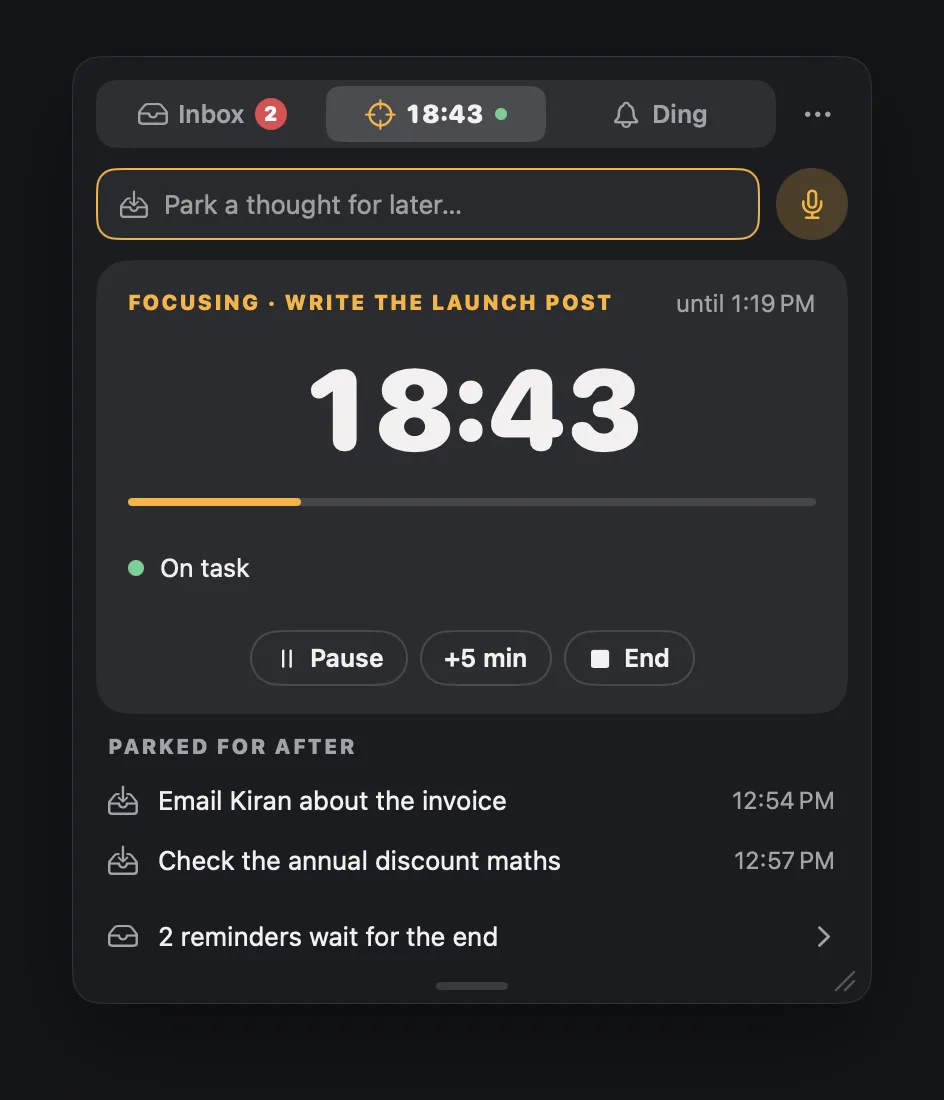
Your day in one place.
A panel in the menu bar and a window for the week. These are the app itself, drawn from sample data.
06 Private, and your call
Speech never leaves your Mac. No account.
- Your voicewhile you hold the key. Never recorded, never kept.
- Neural Enginespeech to text, on the Mac.
- Your styleby a model on your Mac: Apple Intelligence, or one Nagbar downloads.
- Your cursortyped where you type. History stays here, 30 days.
What does go online
- Your licence check, about once a week, with the store (Polar). Offline, Nagbar never locks: everything works for 30 days after the last check, then it runs with basic features until it can check your key again.
- The current price, read from this website when Nagbar shows its buy window.
- Model downloads, once each, the first time a feature needs one. The speech model is about 450 MB.
- Update checks, about once a day, and new versions download by themselves: which version of Nagbar is asking, nothing about you.
- Feedback, only when you press Send: what you wrote, your email if you give one, and Nagbar’s version, macOS and Free or Pro if you leave that ticked.
- Your words, only when you hand them off: “Do it for me” and the Claude connector send what you choose to the AI you picked.
No analytics, ads or tracking in the app, and no cookies on this site. Read the privacy page
Your model
Your Mac. Your model. Your call.
Nagbar's AI runs on your Mac, and you choose which model does the work. Pick the one your Mac has room for, and switch any time in Settings › You › Ding's brain.
- No model? Nagbar's own rules still tidy your words.
- No extra cost for the models. Each downloads once, then it all runs on your Mac.
- Every rewrite is checked before it's typed, so it can't make up names, dates or numbers.
- No model: Nagbar's own rules tidy your words. Always there.
- Apple Intelligence: built into macOS 26 and later, on Macs that have it. Nothing for Nagbar to download.
- Qwen3.5 0.8B, light: for Macs with 8 GB of memory. A 533 MB download.
- Qwen3.5 2B, balanced: for 12 GB and up. A 1.3 GB download.
- Qwen3.5 4B, best: for 16 GB and up. A 2.7 GB download.
Animation: Ding's brain, in Settings. You dictate “Um, so tell the team the launch moves to Thursday, actually no, Friday, and uh we still need the final numbers from Alex.” With no model, Nagbar's rules type “So tell the team the launch moves to Friday, and we still need the final numbers from Alex.” The choice then moves down the list as the Mac's memory grows from 8 to 32 GB: Apple Intelligence, Qwen3.5 0.8B, 2B and 4B, and the Professional rewrite gets better each time, ending with “Please let the team know the launch has moved to Friday. We're still waiting on the final numbers from Alex.” At 32 GB every model fits.
No model? Still works.
Nagbar's own rules clean up your words and read your commands with no model at all. A model costs nothing extra when you want one.
Speech, your way
English (the most accurate) or Multilingual for 25 European languages, recognised on your Mac's Neural Engine.
Better models keep coming. Each new one is tested on real dictation first, and arrives with an app update.
07 Pricing
Pay once. Keep it for life.
Nagbar is one payment, yours for life. Want to try it first? You have 14 days to ask for a full refund.
Nagbar
$20 once
Black Friday: $20 $10 with code NAGBAR50 · until Nov 30
Everything on this page.
Buy Nagbar · $202 Macs · every update · 14-day refund
Already bought? Download Nagbar. Your key is in Polar’s email and on your purchases page.
Never miss it
- Reminders that nag until done, and repeating ones, as many as you like
- Meetings from every calendar, with one-click Join
- Alerts that grow to full screen, on every display
- Hears what you promise, and offers the reminder
- Apple Reminders that nag, and new ones saved there for your iPhone
- The countdown in the notch, with Ding
- Gentle, Firm and Savage tones
- A week of Completed, 30 days of alert log
Talk to it
- Add, move, finish and ask by voice, in 7 languages
- Answer alerts out loud, hands-free
- It reads alerts and your briefing out, in 10 natural voices or your Mac’s own
- Understands what you say in your own words, with your Mac's model
- Settings and your Mac by voice
Type with your voice
- Dictation in any app, unlimited
- 11 styles, and your own
- Customize any style's instructions
- A style per app; restyle anything in History
- Edit by voice
Focus, and hand it off
- Focus sessions and Stay on task
- Quiet hours, and it backs off on calls
- “Do it for me”: send a due task to Claude or ChatGPT with everything Nagbar knows. You review it and press Send yourself.
- Works with Claude through the built-in connector
- US dollars
- Tax added at checkout where it applies
- Payments by Polar
- No account
- macOS 14 or later, Apple silicon
08 What it replaces
What Nagbar replaces.
What each of these jobs costs on its own, from the apps that sell it today.
| The job | On its own |
|---|---|
| 01A dictation app | $12–15 a monthcloud dictation subscriptions |
| 02A full-screen meeting alert | Free–$4 a monthfree apps, or about $25 a year |
| 03A notch or menu bar countdown | $13–20 oncenotch and calendar utilities |
| 04Reminders that nag until done | $15 oncea reminders app that keeps asking |
| 05Something that hears your promises | —Only team tools that read your Slack and email in the cloud. |
| Separately | $12–19 a month, plus $28–35 once |
| Nagbar | $20 once |
Prices are what those apps listed on their own sites and the App Store in November 2026, in US dollars.
09 What's new
What shipped.
Every version, newest first. The same notes the app shows when it updates itself.
0.4.0 Mail that needs you, handled from Nagbar.
- Nagbar reads your Apple Mail on this Mac and sorts it into To answer, Needs action, Waiting on them, You promised, FYI, Updates and Newsletters, with the key points and a next step for what needs you. It learns how you treat each sender, and each email says why it’s where it is. On this Mac it keeps short summaries, key points and the promises you made from each email, the sender and subject of older mail for search, and emails in the Outbox until they’re sent; not the emails themselves. Pro
- Reply, forward, write and send from Nagbar, from the account the email came to, with a draft written by the AI on your Mac, 8 seconds to undo, Send later and an Outbox. Archive, file, flag, snooze and read an email without opening Mail. Pro
- Deadlines in your mail: a bill due or an account about to be paused is asked about once, “Remind you before it’s due?”, and Today shows what needs you from mail beside your reminders. Pro
- Say “remind me about this” and a model on your Mac looks at the window in front and names the reminder for what’s in it, on Macs with 16 GB or more. The picture is never kept or sent, and a browser window is pictured only when Nagbar can tell it isn’t private. Pro
- A meeting booked at short notice now shows up even when your calendar brings it late. Nagbar asks your Mac to fetch Yahoo, Google and other calendars sooner, alerts as soon as a late meeting appears, even after it has started, and keeps a meeting in the list until it ends.
- In the main window, the Do Not Disturb, Keep awake and Sound tiles in Talk & commands work when you click them. Sound and Mic say “Can’t mute” for a speaker or microphone your Mac can’t mute.
0.3.0 Nagbar is now paid for new installs. If you already use it, nothing changes for you.
- If you used Nagbar before this update, you keep everything you have. The free version stays free on this Mac, keeps getting updates, and comes with you to a new Mac set up with Migration Assistant.
- A new install opens “Unlock Nagbar” first: buy Nagbar once, or paste the key from your email from Polar. Setup follows, and nothing else runs until then.
- Settings › Account says when a Mac isn’t activated, and moving your key to another Mac now asks first.
0.2.2 Ding moves again, and the notch is readable on every MacBook.
- Ding on the desktop can be dragged again: anywhere on the screen and onto another display, and he stays where you put him.
- On a MacBook with a notch, a toast like “Done · Undo” and an alert’s one-line peek now sit just under the notch, not behind the camera, so you can read them and press Undo.
- The countdown in the notch shows the minutes to your next thing, as the menu bar does: amber under 5 minutes, red when it’s due or late. A late reminder reads “+1:05”, not “in +1:05”. Pro
0.2.1 A new design, Stay on task, and asks that wait for a natural pause.
- A new design. The menu bar shows a ring that fills as your next thing gets close. Alerts grow out of the notch: a card when something is due, full screen only if you don’t answer (meds and critical ones go straight to full screen). The panel has Inbox, Focus and Ding, the main window is new, and Settings fits in five panes.
- When a reminder asks again, it waits for a natural pause between tasks (switching apps, coming back to your Mac, a call ending), 10 minutes at most. Meetings, important ones, meds and anything Right on time still come on the minute; say “at 3 sharp” or “on the dot” to make one Right on time.
- Focus sessions: start one from a reminder (Focus on this), from Apple Reminders or Things, or by telling Ding “I’m starting deep work on the pricing page for 45 minutes”. Park a thought for after, and see at the end how long you stayed on task. Stay on task (beta, Settings › Alerts › Focus and breaks) notices when you drift to a video, a social site or a long chat, asks once, quietly, and offers the way back at the next pause. It never blocks anything.
- More focus in Pro: Resume brings back the exact browser tab, Stay on task learns what belongs to each task, This week shows your focus runs, and Ding says how the session went. Breaks come at a natural pause, never mid-call, and meetings get a wrap-up heads-up and one click back to what you were doing. Free keeps breaks on the plain timer. Pro
- AI agent runs: when a long Claude Code, Codex, Cursor, Gemini CLI or Copilot CLI run finishes or needs you while you’re elsewhere, one card takes you back to it. Connect them in Settings › Sources › Coding agents. Pro
- Moments and your own commands, in the main window under Ding: “deep work for 2 hours” or “I’m joining a call” sets up your Mac for it, then puts it back. Free runs one command of your own; Pro runs the moments and as many commands as you like.
10 Questions
Anything else?
Email hello@nagbar.app and a person replies.
The app
What do I need?
A Mac with Apple silicon and macOS 14 or later. For styles and understanding what you say, Nagbar uses Apple Intelligence where your Mac has it, or offers a model your Mac's memory can run. The models cost nothing extra.
Does my Mac need a notch?
No. The countdown lives in the menu bar on every Mac, as a ring around the bell. Your next thing can also live in the notch, with a ring and short peeks. Alerts come from the top of the screen either way.
Which calendars and reminders?
Every calendar already on your Mac (iCloud, Google, Outlook and others you've added in macOS) and Apple Reminders, including lists shared with family or a team.
Will it take over my screen during a call?
No. While your mic is in use or you're presenting, an alert stays a card at the top of the screen, with a soft sound, and never takes the keyboard. Quiet hours (10 PM to 8 AM unless you change them) keep nights quiet.
Is it still early?
Yes. Nagbar is young and moving fast. If something's off, use Send Feedback in the app or email hello@nagbar.app, and we'll fix it.
Voice and privacy
Is my voice sent anywhere?
No. Speech becomes text on your Mac, and the audio is never recorded or kept. What you dictate stays in History on your Mac, 30 days unless you change it.
What does “hears what you promise” read?
Only the text you dictate (and sentences you say or type to Nagbar that weren't a command), on your Mac, in the apps where it's on. Never password fields, password managers or secure input. Terminals, code editors and AI chat apps start off. What it finds stays on this Mac and goes after 7 days.
Which languages?
Dictation is English by default, the most accurate setting. Turn on Multilingual for 25 European languages. Talking to Nagbar works in English, Spanish, French, German, Portuguese, Italian and Hindi; for languages other than English, Nagbar may ask you to add the language in System Settings › Keyboard › Dictation, and it needs a downloaded model or Apple Intelligence (which doesn’t do Hindi).
Is dictation limited?
No. Dictation is unlimited, in all 11 styles and your own. Restyle anything later from History, and edit by voice.
Buying
Can I try it first?
Yes, with the 14-day refund. If Nagbar isn’t for you, email hello@nagbar.app within 14 days of buying for a full refund through Polar.
Is it a subscription?
No. Nagbar is one payment, yours for life: two Macs, every update, and every new feature that runs on your Mac.
What does a key include?
Everything on this page, on two Macs, with every update and every new feature that runs on your Mac. Nagbar checks it about once a week; offline, everything works for 30 days after the last check, and Nagbar never locks.
Refunds?
Within 14 days of buying: email hello@nagbar.app.
Where's my key and the download? And a new Mac?
On Polar's page after you pay, in Polar's email, and on your purchases page. Download Nagbar from the link under the price, open it, and paste the key when it asks, or in Settings › Account › I have a key. A key works on 2 Macs; to bring your reminders to a new one, use Export and Import in Settings › Account.
Do I pay tax?
Prices are in US dollars. Polar, the store, adds tax at checkout where it applies, such as VAT in the EU and UK or sales tax in the US.
Say it.
Nagbar makes sure it happens.
14-day refund · macOS 14 or later · Apple silicon